
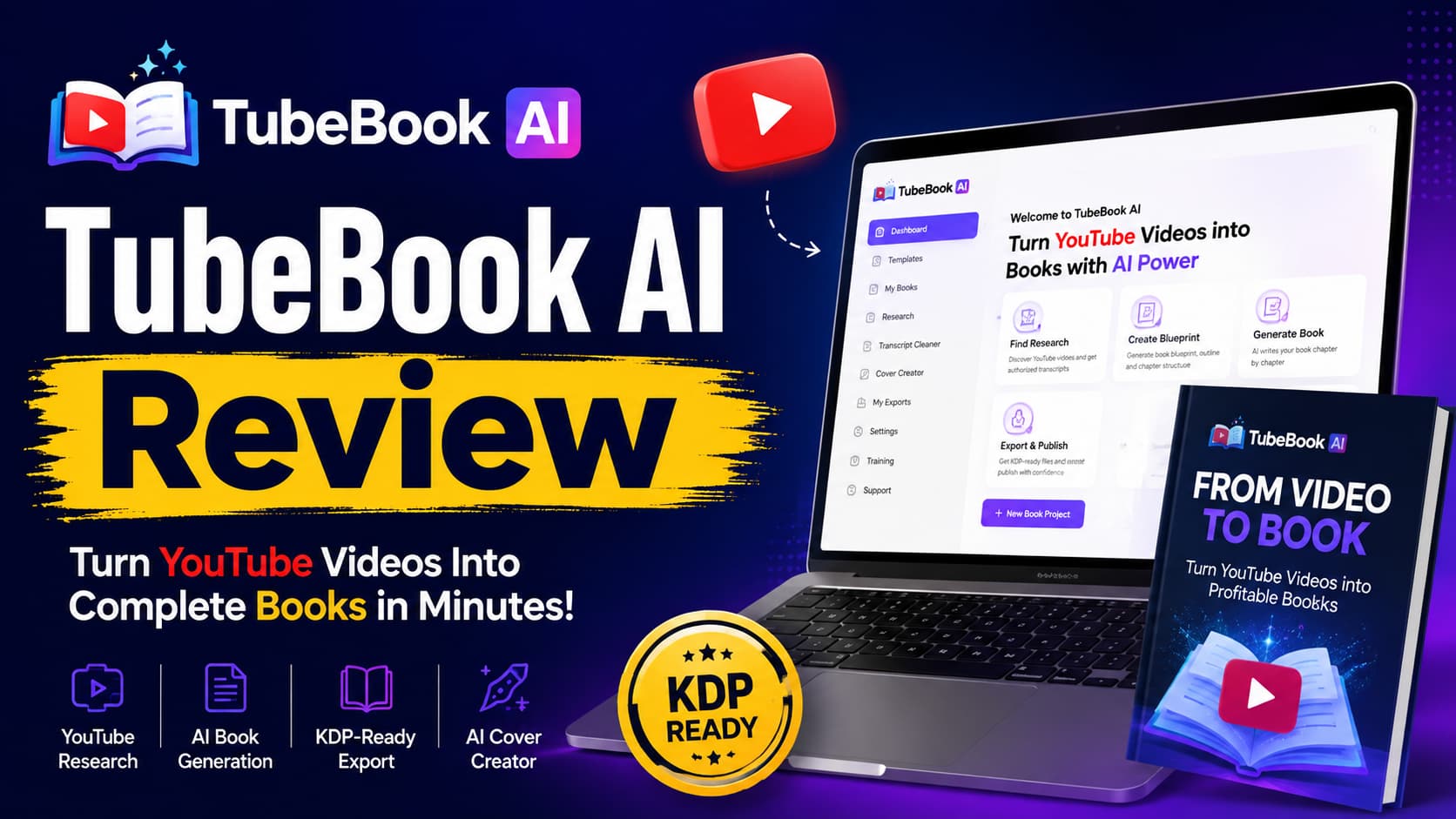
TubeBook AI Review — Can It Really Turn YouTube Research Into a Complete Book?
What if the YouTube videos you watch could help you create books for Amazon KDP?
That is the main idea behind TubeBook AI.
TubeBook AI is more than an AI writing tool. It aims to help with the full book-making process:
YouTube research → transcript → book plan → outline → manuscript → cover → KDP-ready files
The sales page makes a bold claim. It says TubeBook AI can turn a YouTube video into a full book in under 10 minutes. It also says you can do this without the usual writing, design, or format work.
At the time of this review, the early-bird price is $17. The stated regular price is $97.
But here is the key question:
Does TubeBook AI solve the hard parts of book publishing, or does it just make book creation faster?
In this TubeBook AI review, I will show you what it does, what I like, where it may fall short, and where a new user may get stuck.
I will also show you my bonus stack and how it can help fill some of the gaps.
TubeBook AI Review: What Is TubeBook AI & What Problems Does It Solve?
TubeBook AI is an AI book tool built for Amazon KDP.
The main idea is simple:
Find a topic people like on YouTube → use legal research → turn that research into a new book → get the files ready for publishing.
TubeBook AI offers a Chrome extension, transcript cleaner, 45+ book templates, an AI book planner, chapter writing tools, rewrite tools, cover tools, and KDP file exports.
It aims to solve several common problems.
1. The Blank-Page Problem
Starting a book can be hard.
You may ask:
“What should Chapter 1 be about?”
TubeBook AI helps with this.
It can create a book plan with:
You can also edit the plan before you create the book.
2. The Research Problem
Many new writers do not know what topic to choose.
TubeBook AI suggests starting with topics that already get attention on YouTube.
The platform also gives research searches for its book templates.
But there is one key point.
You must use research that you own, have permission to use, or are allowed to use by law.
3. The Writing Problem
Writing a full book takes time.
TubeBook AI’s Chapter Engine can create the book one chapter at a time.
It also saves completed chapters. So, if you stop, you can come back later.
You can also use tools such as:
This can make the writing process much faster.
4. The Cover Design Problem
A good book needs a good cover.
TubeBook AI includes an AI cover tool.
It can create a cover based on the book and its genre.
5. The Formatting Problem
This is one of the better parts of the offer.
TubeBook AI can create:
It can also work out the spine size based on the page count.
This can save a new KDP user from dealing with many file and format issues.
6. The “I Don’t Want to Be on Camera” Problem
TubeBook AI is also built around the idea of faceless publishing.
The sales page says you do not need:
That can make the model appealing to people who want to stay behind the scenes.
How Does TubeBook AI Work?
The basic process is quite simple.
Step 1: Find Your Research
Start with a YouTube video or another source you are allowed to use.
The TubeBook Chrome extension can capture subtitles from an approved video.
The transcript tool then helps clean up the text.
But be careful.
You cannot simply take someone else’s video and turn it into a book.
You need to use content that you own, have permission to use, or are allowed to use as research.
TubeBook AI then helps turn that research into a new book plan and new text.
Step 2: Create the Book Blueprint
TubeBook AI can create a book plan that includes:
You can edit the plan before you start writing the book.
I like this step because you are not forced to use the first plan the AI gives you.
Step 3: Generate the Manuscript
The Chapter Engine creates the book one chapter at a time.
If the process stops, your completed chapters are saved.
You can then come back and continue.
You can also rewrite a chapter without losing the old version.
This is useful when you are working on a long book.
Step 4: Create the Cover
Once the book is ready, TubeBook AI can create a cover based on the book and its genre.
This can save you from using a separate cover tool.
Step 5: Export the KDP Files
TubeBook AI can give you:
The page also says the interior can include:
But there is one key difference:
KDP-ready does not mean Amazon-approved.
You still need to check your book before you publish it.
TubeBook AI says the user is still responsible for things such as:
It also recommends using KDP Previewer before you publish.
What Makes TubeBook AI Interesting?
What I Like About TubeBook AI
1. It Brings Many Tools Together
This may be the biggest strength.
A normal book workflow could look like this:
YouTube research → transcript tool → AI writer → editing → cover tool → format tool → KDP
TubeBook AI tries to bring many of these steps into one place.
That is more useful than having just another AI writing tool.
2. The Editable Book Plan Is Useful
I like that TubeBook AI does not jump straight from research to a long book.
It first creates a plan.
You can then check and change that plan.
This matters because a bad book plan can lead to a bad book.
3. Saved Chapters Are Helpful
The ability to stop and come back later is useful.
TubeBook AI saves each finished chapter.
So you do not have to start over if the process stops.
4. KDP File Export Can Help Beginners
KDP file setup can be hard for a first-time publisher.
TubeBook AI gives you the main files in one workflow.
That can save time and reduce stress.
5. Commercial Rights and Reseller Mode Add More Options
TubeBook AI says users can publish books under their own name or a pen name.
It also has a Reseller Mode.
This lets users create client accounts, give them credits, and offer book creation as a service.
So there are two main ways to use it:
Create your own books
or
What I Don’t Love About TubeBook AI
This is where I want to be fair and honest.
1. YouTube Demand Is Not the Same as Amazon Demand
This is the biggest issue I see.
A YouTube video may have thousands or even millions of views.
That shows people are interested in the topic.
But it does not prove that they will buy a book about that topic on Amazon.
You still need to check:
TubeBook AI helps with research and book creation.
But that is not the same as a full Amazon market research tool.
2. You Still Need to Check the AI Book
TubeBook AI can create a lot of text very fast.
But more words do not always mean a better book.
You still need to check:
The sales page also tells users to check the book before publishing.
So TubeBook AI can save you time.
But you still need human review.
3. Making a Book Is Not the Same as Selling a Book
This may be the biggest gap.
TubeBook AI can help you make the book.
But then you have another question:
How will people find it?
You still need to think about:
That is why I built my bonus stack around what happens before and after you create the book.
TubeBook AI Features Breakdown
Who Is TubeBook AI Best For?
I think TubeBook AI is a good fit for:
Complete KDP Beginners
It can help people who find writing and book formatting hard.
Faceless Entrepreneurs
It may be a good fit if you do not want to build a public brand.
Current KDP Publishers
People who already know KDP may use it to speed up book creation.
AI Users
It can appeal to people who want to use AI for book publishing without using many tools.
Fiction and Nonfiction Writers
The listed areas include:
Freelancers and Agencies
Reseller Mode can make it useful for people who want to offer book services to clients.
Who Is TubeBook AI NOT Best For?
I would not see TubeBook AI as the best choice for someone who:
Wants Fast, Guaranteed Income
The sales page says results can vary.
They depend on things like:
There is no promise of income, Amazon approval, rankings, or sales.
Wants Fully Passive Publishing
You still need to choose your topic, check the plan, review the book, and make publishing choices.
Wants to Copy YouTube Videos
That is not the right way to use the tool.
You need to use legal and approved research.
Wants Perfect AI Books With No Editing
AI can speed up writing.
But you still need to check and improve the book.
Thinks One Book Is Enough
A real book business takes more than one random book.
You need a good plan for what to publish next.
TubeBook AI OTOs / Upsells Transparency
I want to be clear about the upsells.
The TubeBook AI JV page confirms that the vendor has a full sales funnel. It also promotes 50% commissions across the funnel.
However, the public pages I could check do not give a full and clear list of all OTO names, prices, and features.
So I do not want to make up details.
If you see an OTO at checkout, check what it does before you buy it.
Ask yourself:
Does this upgrade solve a problem I have right now?
Some upgrades may be more useful for people who already publish books or run an agency.
A beginner may not need every upgrade.
For a first book, I would focus on:
Market research → Book quality → KDP publishing → Listing → Launch → Portfolio
before paying for more advanced tools.
TubeBook AI Review: Bonus Stack
This is where I think the offer can become much stronger.
TubeBook AI is good at helping you make the book.
My bonuses help with the bigger questions:
What should I publish?
Is the book good enough?
How do I publish it on Amazon?
How do I help people find it?
What should I publish next?
That is why I call my bonus system:
The TubeBook AI Publishing Success System
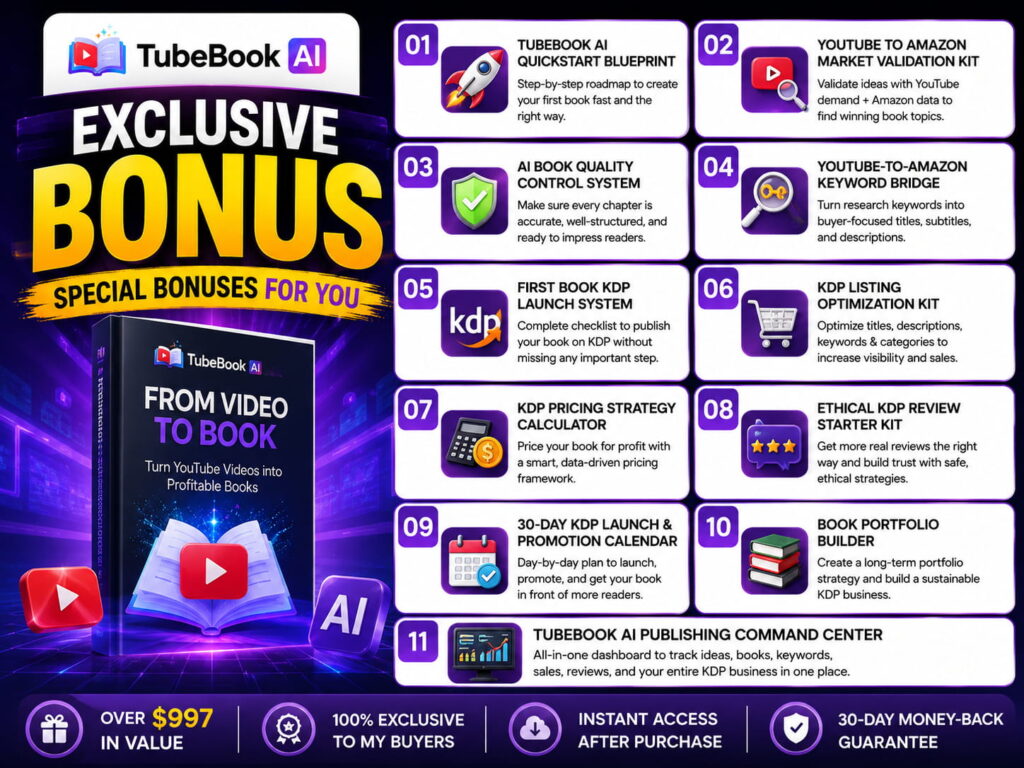
BONUS #1 — TubeBook AI QuickStart Blueprint
“Create Your First Book Without Getting Lost”
This is a simple guide for new users.
It walks you through:
Research → Transcript → Blueprint → Outline → Manuscript → Cover → Export → KDP
You will know what to do at each step.
Best for:
Complete beginners who want a clear path from start to finish.
BONUS #2 — YouTube → Amazon Market Validation Kit
“Don’t Just Find Views. Find Book Ideas.”
This is one of my most useful bonuses.
A video can get many views.
But that does not mean people will buy a book about it.
This kit helps you check:
You can then use a simple score to choose:
Publish / Check More / Skip
Why This Matters
It helps bridge the gap between:
“People watch this.”
and
“People may buy this as a book.”
BONUS #3 — AI Book Quality Control System
“Don’t Publish the First Draft. Publish the Best Version.”
TubeBook AI can write the book.
This bonus helps you check it.
You get a simple review list for:
Facts
Structure
Writing
Reader Value
You also get a final pass/fail check before you send the book to Amazon.
BONUS #4 — YouTube-to-Amazon Keyword Bridge
“Turn Research Keywords Into Better Book Metadata”
TubeBook AI’s research keywords help you find YouTube content.
But Amazon works in a different way.
This bonus helps you move from:
YouTube topic
↓
Book topic
↓
Amazon search
↓
Title
↓
Subtitle
↓
Description
↓
Keywords
This can help you avoid a common mistake:
Thinking that a popular YouTube search is always the best Amazon keyword.
BONUS #5 — First Book KDP Launch System
“From TubeBook AI Export to Published Amazon Book”
Creating the files is only one part of the job.
This bonus gives you a clear KDP checklist.
It covers:
TubeBook AI says that Amazon approval, categories, and AI rules are still the user’s job.
That is why this bonus is so useful.
BONUS #6 — KDP Listing Optimization Kit
“Make Your Book Look Ready for Amazon Buyers”
A finished book does not always make a good Amazon listing.
This bonus helps with:
The goal is simple:
Don’t just upload a book. Give buyers a clear reason to click.
BONUS #7 — KDP Pricing Strategy Calculator
“Stop Guessing What to Charge”
How much should you charge?
$2.99?
$4.99?
$7.99?
$9.99?
This bonus gives you a simple way to compare:
You can then make a better price choice.
BONUS #8 — Ethical KDP Review Starter Kit
“Build Reader Feedback the Right Way”
Reviews can help a book.
But bad review tactics can cause problems.
This bonus focuses on safe and honest ways to get reader feedback.
It covers:
No fake reviews.
No tricks.
No risky methods.
BONUS #9 — 30-Day KDP Launch & Promotion Calendar
“Your Book Is Live. Now What?”
This solves a common problem:
“My book is published. What do I do now?”
You get a 30-day plan that covers:
Pre-launch → Launch → Promotion → Tracking → Changes
The goal is not to promise a bestseller.
The goal is to give your book a real launch plan.
BONUS #10 — Book Portfolio Builder
“Turn One Book Into a Publishing Plan”
TubeBook AI talks about building a book portfolio.
But there is a big difference between:
30 random books
and
30 books built around a clear plan.
This bonus helps you map:
Niche → Topic Group → Book #1 → Book #2 → Related Book → Series → Portfolio
It also helps you plan what to create next.
BONUS #11 — TubeBook AI Publishing Command Center
“Your Publishing Business in One Dashboard”
This is my main productivity bonus.
Instead of keeping your plans in many files, you get one place to track your work.
Niche Research
Book Planning
Production
KDP
Portfolio
Launch
This turns the whole process into a simple system you can use again and again.
Why These Bonuses Are Different
I am not adding random ebooks just to make the bonus list look bigger.
Each bonus solves a real gap.
That is why I think these bonuses make the offer more useful for a new buyer.
The Complete TubeBook AI Journey
Here is how I would use the full system.
STEP 1 — FIND
Find topics that people already care about.
STEP 2 — VALIDATE
Check if the topic also has a chance as an Amazon book.
STEP 3 — RESEARCH
Collect legal and approved source material.
STEP 4 — CREATE
Use TubeBook AI to build the plan and book.
STEP 5 — POLISH
Use the Quality Control System.
STEP 6 — PACKAGE
Create the cover and KDP files.
STEP 7 — PUBLISH
Use the KDP Launch System.
STEP 8 — OPTIMIZE
Improve the title, listing, keywords, and price.
STEP 9 — PROMOTE
Follow the 30-day launch plan.
STEP 10 — REPEAT
Use the Portfolio Builder to plan the next books.
That is the full process.
TubeBook AI Pricing & Guarantee
At the time of this review, TubeBook AI is offered at an early-bird price of $17.
The sales page lists the normal price as $97.
The page also says that some launch features may move to paid upgrades after the early-bird period.
There is one thing new users should know:
It is not a monthly subscription, but it does use credits for book generation.
Once your book is built, exports are free.
TubeBook AI also comes with a 30-day money-back guarantee.
The sales page says you can ask for a full refund within 30 days if the product is not as described.
That gives you a lower-risk way to test the tool.
TubeBook AI Pros & Cons
TubeBook AI Review: Pros
- Complete research-to-book workflow
- 45+ templates
- YouTube research integration
- Editable AI-generated blueprint
- Chapter-by-chapter manuscript generation
- Resume-safe generation
- Chapter rewrite tools
- AI cover generation
- KDP-oriented formatting
- Automatic spine calculation
- Commercial rights
- Reseller Mode
- Cloud-based
- No monthly subscription
- 30-day money-back guarantee
TubeBook AI Review: Cons
- YouTube demand doesn’t automatically equal Amazon demand
- AI-generated books still need human review
- You remain responsible for copyright and source rights
- Amazon approval isn’t guaranteed
- KDP metadata and category decisions remain your responsibility
- Generation uses credits
- Publishing the book doesn’t guarantee sales
- The platform doesn’t eliminate the need for marketing
- Beginners may still need guidance on what to publish and how to build a portfolio
Final Verdict: TubeBook AI — Worth It or Nah?
My Rating: 8.5/10
I think TubeBook AI is interesting because it solves a real problem.
Book publishing has many steps.
Most new users do not need another AI chat tool.
They need a simple workflow.
That is where TubeBook AI stands out.
It brings together research, templates, book planning, writing, rewriting, cover creation, and KDP file export.
But here is my honest warning:
Do not confuse “create a book fast” with “make money fast.”
Those are two very different things.
The vendor says results can vary. They depend on the niche, your effort, book quality, and market demand.
It also does not promise:
The sales page also shows example income numbers based on books earning $100 per month.
Those are examples.
They are not income promises.
So I would look at TubeBook AI as:
A book creation tool — not a magic money button.
And that is actually why I like it.
When you combine TubeBook AI with:
you get a much better publishing system.
What About the Social Proof?
The sales page has testimonials from people described as:
That is a good sign.
But these are still vendor-provided testimonials.
They are not the same as independent reviews.
So I would not buy TubeBook AI only because of the testimonials.
I would look at the actual tool, its workflow, and the 30-day guarantee.
So… Is TubeBook AI Worth It?
If you are a beginner who wants to test KDP:
Yes — it may be worth testing.
If you already publish books:
Yes — the faster workflow may be useful.
If you run a freelance or agency business:
Yes — Reseller Mode makes it more interesting.
If you expect one AI book to create instant income:
No.
If you want a 100% hands-off business:
No.
If you want to cut down the hard work of book creation:
That is where TubeBook AI makes the most sense.
My Bottom Line
TubeBook AI is not special just because AI can write a book.
Many AI tools can do that.
The more useful idea is this:
Find a topic → research it → plan it → write the book → create the cover → prepare the KDP files.
That is a full workflow.
And my bonus stack is built to fill the gaps that come next.
Validate the idea.
Make the book better.
Publish it right.
Improve the listing.
Launch the book.
Then plan the next one.
That is why I do not see this as:
“TubeBook AI + some bonuses.”
I see it as:
TubeBook AI handles much of the book creation work.
The bonus stack helps with the plan, quality, publishing, and growth.
For anyone who wants to test the KDP model, that makes the offer much more complete.
Especially at the current early-bird price, TubeBook AI is worth a closer look.
Just keep your expectations real.
Treat it as a tool that can help you create and publish books faster—not as a promise of easy or guaranteed income.