
Your Bonus Is Included – 100% Risk Free — 100% Money-Back Guarantee
Use Coupon “Nano3”
NanoCanvas AI Review
NanoCanvas AI sounds simple. It says you can make and edit images with short text prompts. You do not need design skills. The sales page says it can help you make stock-style images, mockups, social posts, and easy photo edits. NanoCanvas AI does not has monthly fee, and starts at $17.
The sales pitch is bold. It says users can make images in seconds, use unlimited prompts, start an image service business, and get built-in training with a 30-day money-back guarantee. That sounds good. But it also leads to one big question. Does the front-end product give a new user enough help to get real results?
What Is It & Problems It Solves
NanoCanvas AI is sold as an online AI image maker and editor. The sales page says you can type prompts to make custom images. You can also edit images with text commands. These edits include removing objects, replacing objects, expanding cropped photos, changing clothes, making cartoon or 3D styles, and improving image quality. The page also says it comes with commercial rights and step-by-step training.
Here are the main problems it says it can solve:
It helps you avoid hard design tools.
The page compares NanoCanvas AI to tools like Photoshop, Adobe, and Canva. It says beginners can get good results without learning hard software.
It can save time and money.
The sales copy says you do not need to hire designers or wait for edits. The tool can make or change images in seconds from simple prompts.
It helps you make things you can sell.
The sales page talks a lot about commercial use. It says you can make stock images, mockups, social media content, and client graphics. A commercial license is included.
It is made for beginners.
The offer says you do not need past experience. You do not need to install anything. It also says training is built in.
Still, smart buyers should look closer at the claims. The page says there are “no limits,” “zero restrictions,” and even “unlimited traffic built-in.” But it does not explain these points in much detail on the main sales page. A careful buyer may also question how easy it really is. AI image tools often work better when users know how to write clear prompts and improve weak results step by step.
My view is simple. The main idea is strong and easy to believe. Fast image making and editing with prompts is useful. But for beginners, the hard part is not clicking a button. The hard part is knowing what to type, how to fix bad results, and how to turn the images into something useful or something you can sell. That is why a strong bonus pack can help so much.
Your Bonus Is Included – 100% Risk Free — 100% Money-Back Guarantee
Use Coupon “Nano3”
UPSELL/OTO
NanoCanvas AI has six upsells after the front end: OTO 1 Pro ($37), OTO 2 Enterprise ($27), OTO 3 DFY ($37), OTO 4 Reseller ($37), OTO 5 IMX ($37), and OTO 6 WhiteLabel ($97). The page shows the names and prices. But it does not fully explain the features of each one in public on the page. So the best way to read the funnel is by what each name seems to mean.
Front End – $17
This is for buyers who want the main app. It should give you AI image making, AI image editing, commercial-use rights, and beginner-friendly access at the lowest price. It is best for casual users, freelancers who want to test it, and first-time buyers who mainly want the software.
OTO 1 – Pro – $37
“Pro” is usually for users who want more power, more features, or fewer limits. Even though the JV page does not show a full feature list, the goal seems clear. This is likely for people who want a stronger version of the tool for daily use.
OTO 2 – Enterprise – $27
“Enterprise” usually points to agencies, team use, or more business use. Based on the name, this upgrade is likely for people who want to use NanoCanvas AI in a bigger or more client-based way, not just for personal use.
OTO 3 – DFY – $37
DFY means “Done For You.” This is often for buyers who do not want to start from scratch. They may want templates, ready-made assets, or fast-start tools. It is likely for people who want faster setup or faster ways to make money.
OTO 4 – Reseller – $37
This one is for marketers who want to sell the product itself. It is not needed if you only want to make or edit images. But it may appeal to affiliates and people with email lists.
OTO 5 – IMX – $37
The JV page lists this as “IMX,” but it does not explain what it is in the part we can see. That makes it one of the least clear upsells. Based on the name, it may be aimed more at online marketing users than at people who only want to make images.
OTO 6 – WhiteLabel – $97
This is the big business upgrade. WhiteLabel is usually for people who want to rebrand the platform and sell it as their own. It is not very important for regular users. It is more useful for software sellers and advanced marketers.
What the funnel tells me
The upsells show an important gap. The front end sells the fun part: making images. But the back-end offers seem built to add more power, more business use, more shortcuts, and more ways to make money. That often means beginners can use the main tool, but may still need help with prompts, workflow, delivery, and turning their outputs into real offers.
Your Bonus Is Included – 100% Risk Free — 100% Money-Back Guarantee
Use Coupon “Nano3”
Why Buy Here? See My Custom Bonus Suite for NanoCanvas AI
Grab Techlanso’s Hand-Picked Bonuses: Everything You Need to Scale Faster
NanoCanvas AI can help you make images. My bonus stack helps you use it better, get results faster, and avoid the common beginner mistakes the sales page does not fully explain.
Bonus 1: 200 Prompt Starter Pack for NanoCanvas AI
This is a ready-made set of prompts for the main uses shown on the sales page. That includes mockups, stock images, social posts, product images, thumbnails, local business ads, portraits, and simple image edits.
Why it matters: New users often know what they want. But they do not know how to ask for it in the right way.

Bonus 2: AI Image Editing Prompt Cheat Sheet
This is a simple guide for common edit tasks like:
- remove an object but keep the background natural
- change clothes but keep the same pose
- expand cropped photos
- improve low-quality images
- swap the background without messing up the subject
Why it matters: The sales page shows strong edit examples. But many beginners have trouble getting the same kind of results on their own.

Bonus 3: Client Brief to Prompt Translator
This is a simple worksheet that turns vague client requests into clear prompts.
Example:
“Make me a classy real-estate ad image”
turns into
a clean prompt with style, audience, layout, mood, and image direction.
Why it matters: This saves a lot of time for freelancers and service sellers.
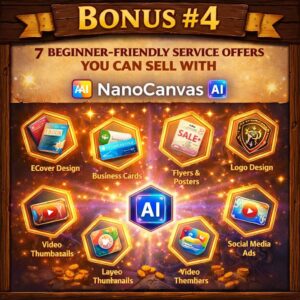
Bonus 4: 7 Beginner-Friendly Service Offers You Can Sell with NanoCanvas AI
This guide shows what you can sell after you make the images, such as:
- YouTube thumbnails
- social media graphics
- ecommerce product mockups
- local business promo images
- printable packs
- image cleanup jobs
- simple branded content bundles
Why it matters: The sales page talks about making money and building an agency. But most beginners still do not know what their first offer should be.
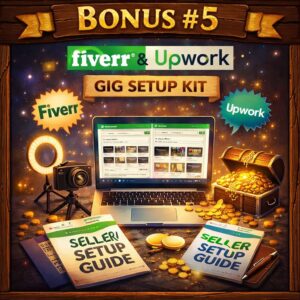
Bonus 5: Fiverr & Upwork Gig Setup Kit
This includes service ideas, gig titles, offer layouts, and delivery samples made for AI image services.
Why it matters: Making images is one step. Getting paid for them is the next step.
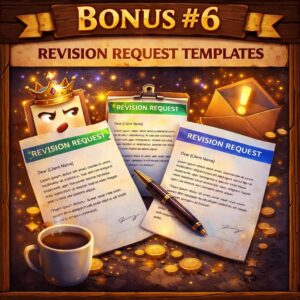
Bonus 6: Revision Request Templates
These are ready-made client message templates for:
- first draft delivery
- revision rounds
- upsell requests
- turnaround times
- approval messages
Why it matters: This helps new sellers look more skilled and more pro from day one.
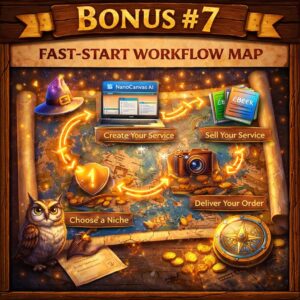
Bonus 7: Fast-Start Workflow Map
This shows a simple path:
idea → prompt → first result → better prompt → export → delivery → portfolio use
Why it matters: It cuts down stress and helps users know what to do next.
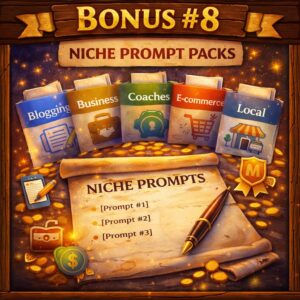
Bonus 8: Niche Prompt Packs
These are extra mini prompt packs for useful niches like:
- real estate
- fitness
- restaurant marketing
- ecommerce
- coaches and consultants
- travel and social media
Why it matters: Niche prompts often work better than general prompts when users want results they can use or sell.
The software gives you the tool. My bonuses give you the plan.
That is important because the sales page talks about ease, speed, and making money. But the real beginner problems are prompt quality, clear workflow, and knowing how to use the images in real life. My bonus stack helps fix those gaps, which makes the whole offer more useful and more valuable.
VIP Bonuses From Vendor's End (Instant Access)
Final Verdict
NanoCanvas AI may be a good fit for beginners, creators, freelancers, and small business users who want an easy way to make and edit images without learning hard design tools. The starting price is low. The commercial-use angle is strong. And the guarantee makes it easier to try.
Still, buyers should stay realistic. The software may make image creation easier. But good results still depend on prompts, workflow, and knowing what to do with the final images. That is why the right bonus stack can make such a big difference.
If you do not just want another AI tool, but want faster results and better use from day one, the best buy is the one that gives you the most helpful beginner support.
Social Proof & Risk Reversal
The sales page shows user-style testimonials. It also clearly says NanoCanvas AI comes with a 30-Day Money Back Guarantee. The page describes it like this: “Zero Risk, Zero Stress. Try It & Love It, Or Get Every Penny Back.” That helps lower the risk for buyers who want to test the tool first.
The page also says the product comes with built-in training and 24/7 support. This helps support the beginner-friendly message. The JV page also says the vendor has served 20,000+ customers across its software business. That helps add trust, though buyers should still decide if NanoCanvas AI fits their own needs.
Your Bonus Is Included – 100% Risk Free — 100% Money-Back Guarantee
Use Coupon “Nano3”
Secure Your Copy with 100%
No-Hassle Refund Policy
You’ll be able to get your bonuses instantly after purchasing the product
Note: If you have trouble accessing your bonuses or have any other trouble, please email me at akhlak@techlanso.com and I’ll take care of it
